Designing an Agentic Workflow
How I built a context-aware AI workflow to support work before and after student sessions.
August 2026 · AI · MCP · Workflow
Mentoring has given me a way to put a decade of work experience in tech to use, and also to discover how much I enjoy helping someone understand a concept that once felt completely out of reach.
But mentoring several students at once means keeping track of very different learning tracks: application development, data analysis, ETL pipelines, data visualization—and all of the projects, frameworks, and technologies within them.
The mentoring itself was a joy, but there was significant preparation and overhead involved: coming up with a session plan, turning every conversation into structured notes, and remembering each student’s context between sessions. So I decided to experiment with an AI-powered workflow to make the work around mentoring a little easier.
The repetitive work
Each session required preparation, mental tracking, and follow-through.
- Before the call: reviewing the student’s learning path, current project, and the notes from the last session to remember where we’d left off—often across multiple tabs and documents.
- During the call: keeping the student’s current project requirements and milestones in mind without a single, structured reference.
- After the call: turning the conversation into useful session notes, answering post-session questions on OpenClassrooms, and updating the student’s Notion page—all from scratch, every time.
None of these tasks was especially difficult, but they required enough attention that it added meaningful time and effort to each session. And since I had a vested interest in my students doing well, I wanted to approach each part of the process thoughtfully.
Multiply that by a dozen students or more, each with 1-2 sessions per week, and the administrative overhead was significant. It seemed worth building something to help make that work lighter.
A workflow before an app
My first instinct wasn’t to write code or build an app. Before investing time in an interface, I wanted to know whether AI could meaningfully reduce this work, and if the resulting output would be useful enough to trust.
I began by validating the workflow in Claude Desktop. Claude gave me a way to prove the concept and refine the prompt engineering before committing to an engineering effort.
The first step was connecting Claude Desktop to Notion through the Model Context Protocol (MCP)1. I was already using Notion to maintain a page for each student, including their background, current project, previous session notes, and learning goals. The connection meant Claude could retrieve that information directly, and also write back to a student’s page if needed.
Configuring the MCP took about 10 minutes: create a Notion integration, connect it to the relevant pages, add the MCP server config to Claude Desktop's JSON config file.
I also needed a reliable way to capture what happened during each session. I began recording the calls locally and built a Python transcription workflow using Faster-Whisper, an optimized implementation of OpenAI’s Whisper speech-recognition model available through Hugging Face. This turned each recording into a timestamped transcript that I could provide to Claude after the session.
I also created project-level instructions that defined how Claude should use these inputs to create either a pre-session plan, or a post-session review. This described how Claude should retrieve and structure the notes and the responses it generated.
With those pieces connected, I had the beginnings of a working system. Before a session, Claude could retrieve the student’s history from Notion and help me reconstruct where we had left off. Afterward, I could upload the transcript, which Claude combined with the student’s existing context to generate session notes and update their Notion page. It also drafted my responses to the required post-session questions on OpenClassrooms, including notes and next steps the student could refer back to.
It wasn’t an app yet, but it was enough to test the central idea.
The first output wasn’t good enough
The initial workflow worked, and I thought, “This is great—it’s saving me so much time.” But on closer inspection, I realized that the notes Claude generated summarized what was discussed without connecting the conversation to the student’s current project, milestones, or broader progress.
The Notion page and session transcript couldn’t tell Claude what project milestone the student was actively working toward, or which competencies they needed to demonstrate. It also didn’t know how I wanted the output organized, or what made session notes useful to students.
At first I tried refining the project-level instructions, which improved the structure, tone and formatting, but didn’t solve the deeper issue. The system didn’t just need better instructions; it needed better context.
Teaching the system how each path works
Building the context
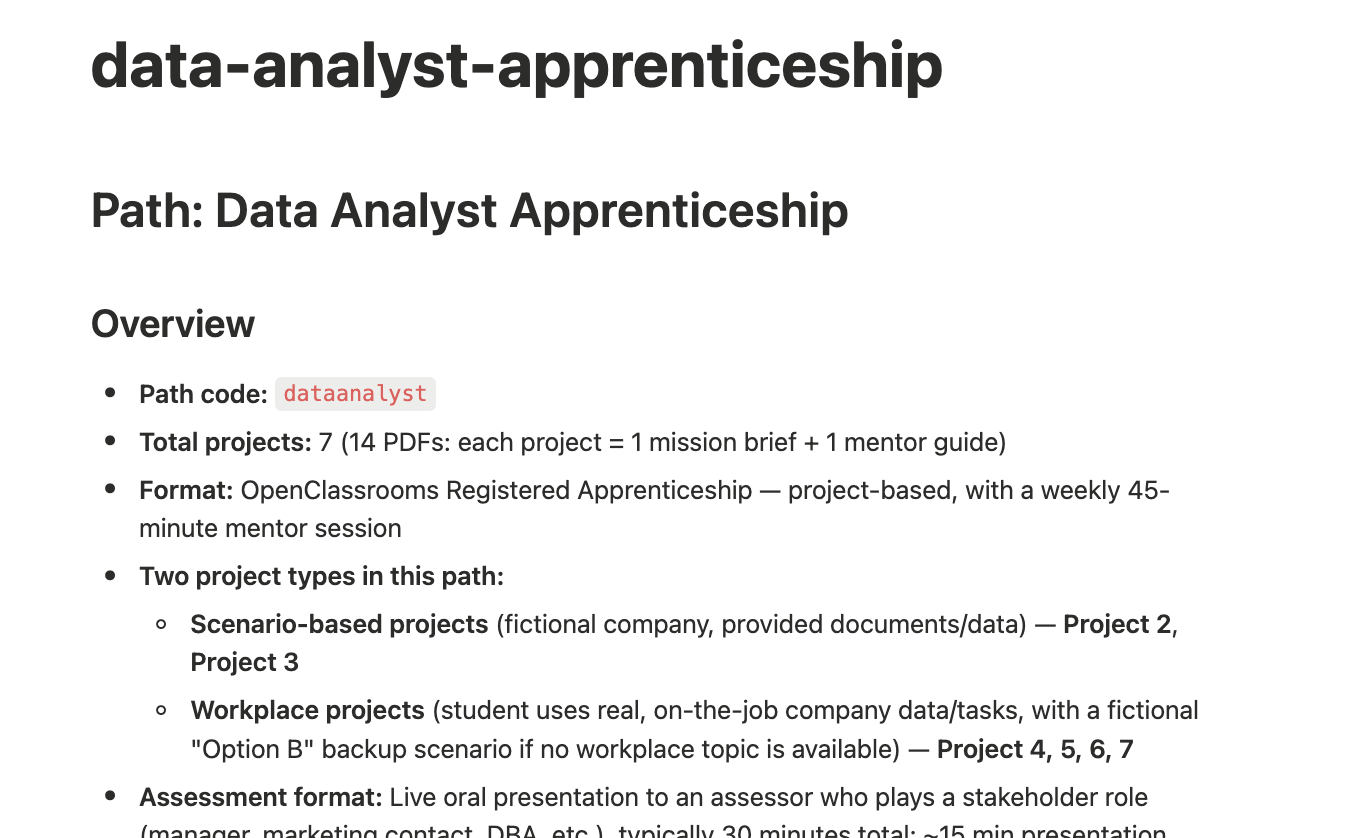
The students I mentored were enrolled in different learning paths. Some were completing three-month bootcamps, while others were in year-long apprenticeships. These paths covered topics across application development, data analysis, ETL pipelines, and data visualization, with different projects, deliverables, and tools for each one.
A single set of instructions couldn’t possibly contain all of that information. I needed to give Claude a structured reference for each learning path.
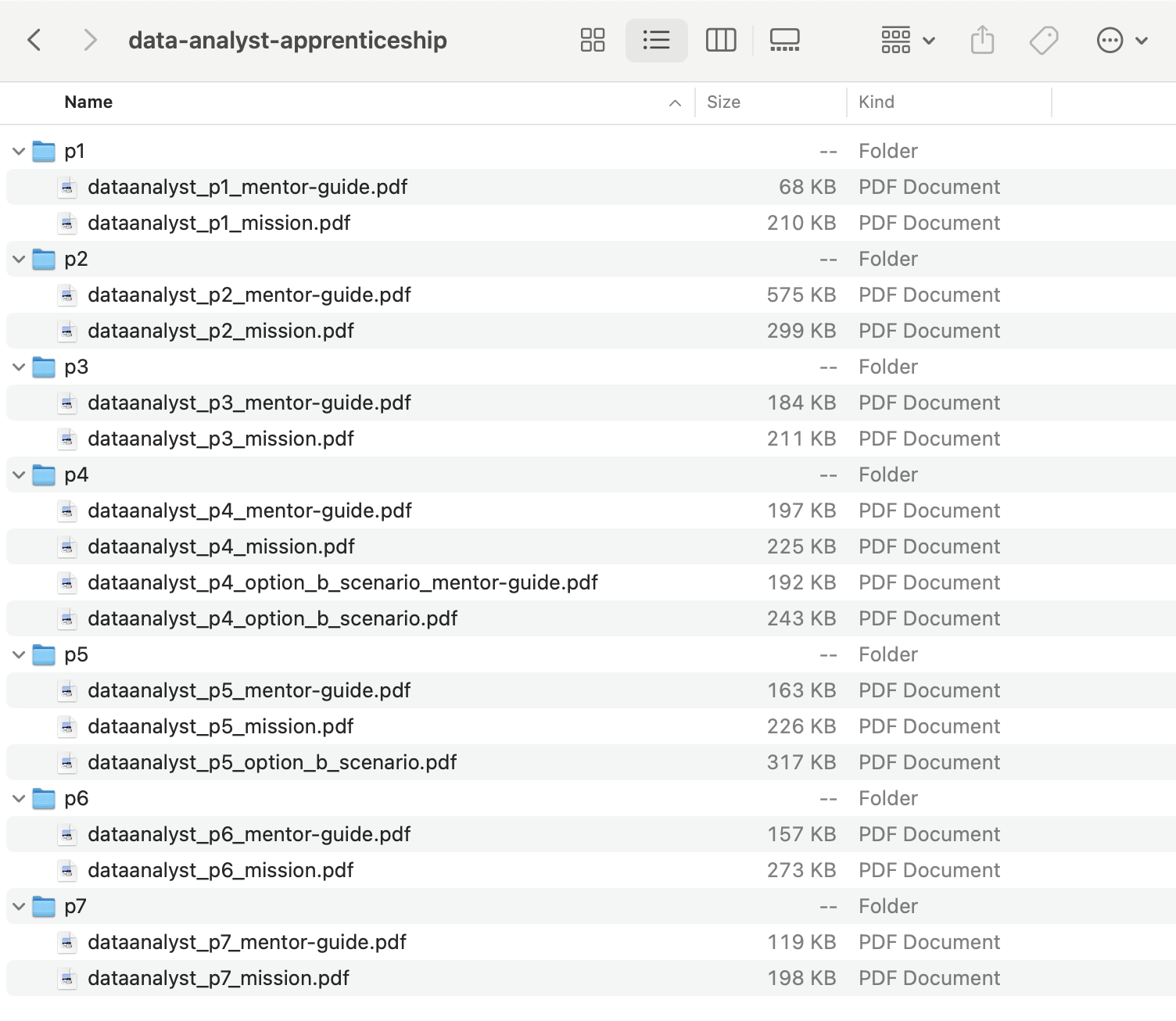
I worked through every project in each path, downloading the project description, expected deliverables, and mentor guide as PDFs. I organized these source documents into local folders, and uploaded them to Claude—asking it to synthesize them into a Markdown reference with a path overview, and per-project fields for scenario, deliverables, milestones, evaluation rubric, and mentor tips.
Verifying the context
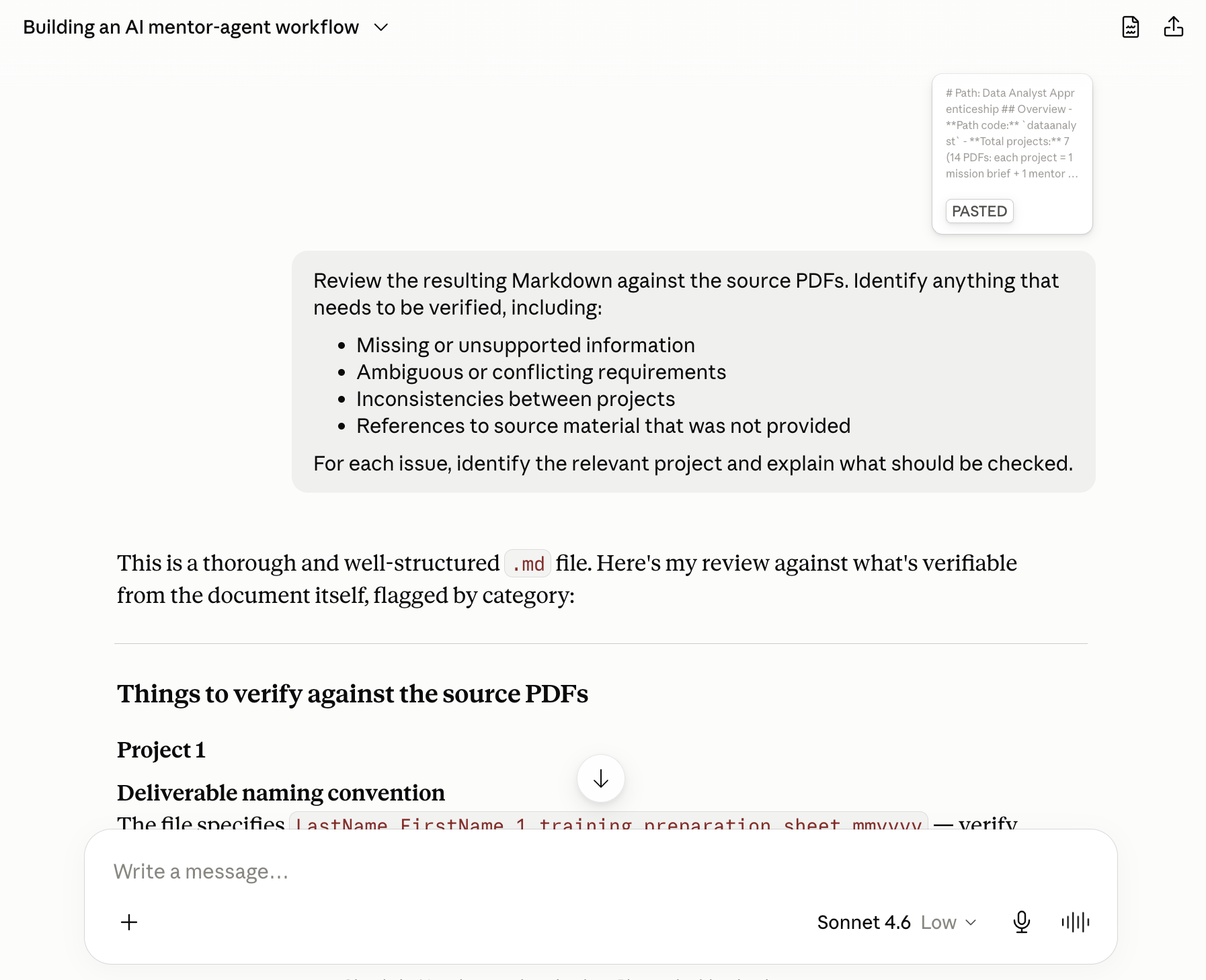
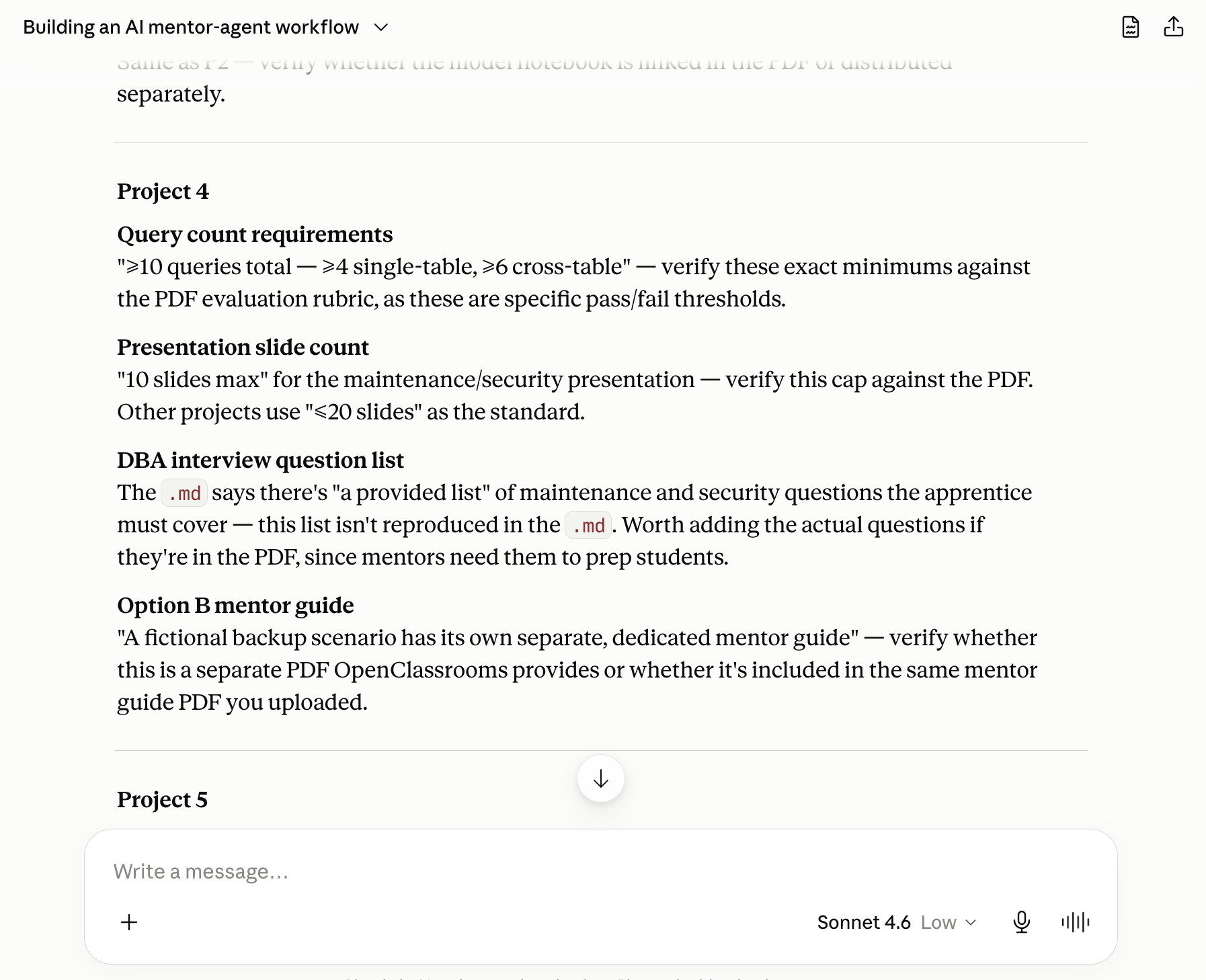
Markdown was compact, and easy to read, edit and reuse. When Claude delivered a suggested synthesis for each learning path, I didn’t assume it was complete. I fed the resulting document back into Claude and asked it to evaluate it for missing details, ambiguous requirements, and inconsistencies.
That review exposed gaps. In one case, Claude pointed out that the documentation referred to an “Option B”, but that it didn’t have the source material for it. I could then locate the missing document and regenerate the reference markdown rather than leaving Claude to infer what it contained.
Finally, I reviewed each Markdown file myself against the original materials before adding it to my mentor-agent’s context in Claude Desktop. With those references in place, Claude could do more than summarize a session; it could now connect the student’s progress to the current project and suggest next steps grounded in the actual curriculum. Armed with this additional context, I was excited to see how my workflow had changed.
What I built
With the student’s history in Notion, the latest session transcript, and a structured reference for each learning path, the workflow now had the context it needed to support both sides of a mentoring session.
I used mentor-agent in two primary modes:
Pre-session: I type something like "I have a session with Mia in a few minutes." The agent reads Mia's Notion page, pulls up her last session notes, checks where she is in her current project, cross-references the path reference documents, and generates a structured session plan — including a suggested agenda, likely blockers, and the milestone she should target before we meet again.
Post-session: I paste the transcript from my audio transcription pipeline. The agent reads Mia's context, writes formatted session notes directly to her Notion page as a new sub-page, and answers the three required OpenClassrooms post-session questions with specific references to what was actually discussed in the session.
The whole post-session workflow — notes written, questions answered, Notion updated — takes about 60 seconds instead of 20-30 minutes.
Architecture
mentor-agent v1

Claude Desktop (host)
├── System prompt (pre/post session modes)
├── Project files
│   ├── application-developer-skills-bootcamp.md
│   ├── application-development-apprenticeship.md
│   └── data-analyst-apprenticeship.md
│   └── data-visualization.md
└── Notion MCP server
    └── OpenClassrooms Notion workspace
        ├── Student pages (Path Info, milestones, sessions)
        └── Session sub-pages (notes written by agent)

Audio pipeline (separate)
└── QuickTime + BlackHole → Faster Whisper → .txt transcript
The audio transcription pipeline was already in place before this
project. Faster Whisper (a local Hugging Face model) transcribes
session recordings to .txt files, which are then
upload into Claude Desktop as input.
Takeaways from this project
Validate before you build. The entire v1 runs without a single line of custom code. Claude Desktop + Notion MCP + a well-engineered prompt is a complete, working product. Reaching for a code editor before proving the concept is a common mistake in AI tooling projects.
Context quality determines output quality. The gap between a generic AI response and a genuinely useful one is almost entirely a function of how well you've provided context. The path reference documents, the student Notion pages, and the structured prompt each contribute a layer of specificity that compounds.
Prompt engineering is product design. Deciding what the agent should output, in what format, at what length, in what tone — these are product decisions, not just technical ones. The Mentoring Observations section, for example, emerged from noticing that the three OC questions never asked about the student as a person. That's a product insight expressed as a prompt addition.
MCP is a meaningful shift. The Model Context Protocol standardizes how AI models connect to external tools and data sources. Configuring the Notion MCP took minutes and eliminated what would otherwise have been a significant custom integration effort. As MCP adoption grows, the barrier to building context-aware AI workflows will continue to drop.